
SvelteKit Boilerplate Installation and Customization
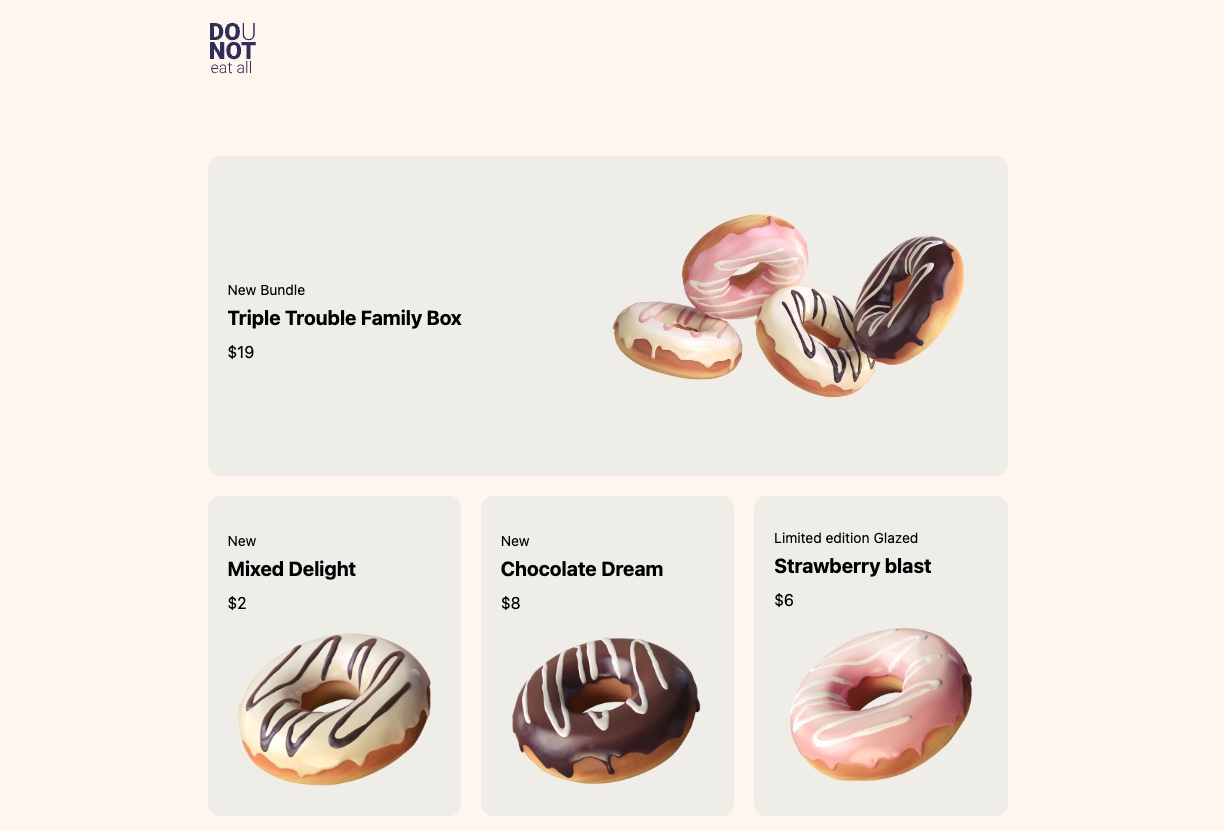
This guide will help you install and customize our Crystallize eCommerce boilerplate based on SvelteKit. It features a frontpage that links to Crystallize-based products within a grid layout.
Tech Stack
The full tech stack for this boilerplate is as follows:
- SvelteKit for the frontend framework. SvelteKit is a framework for building web applications which leverages the capabilities of the Svelte UI library. Svelte compiles components into highly optimized, imperative code that directly manipulates the document object model (DOM). This is a departure from traditional reactive frameworks that rely on a virtual DOM diffing process. As a result, Svelte-based applications tend to be smaller in size and faster in performance.
- Houdini GraphQL for the GraphQL client. It provides a blend of automatic and customizable features wrapped in a type-safe, declarative, and composable environment.
- Tailwind CSS for styling. An open-source framework that makes CSS faster and easier.
- Crystallize for the headless eCommerce backend. The boilerplate accesses an existing Crystallize tenant with a catalogue full of products.
Installing and Locally Deploying the Boilerplate
To install the boilerplate, you’ll need the following prerequisites:
- Git
- Node.js
To get started, you’ll first need to clone the GitHub repository via your web browser or by running the following terminal command:
git clone https://github.com/CrystallizeAPI/dounut-sveltegit clone https://github.com/CrystallizeAPI/dounut-svelteThis will create a folder called dounut-svelte on your machine and copy all the project files into it. Once the repository is cloned, you’ll need to install the packages required to run the project. Use the following two commands to browse into the dounut-svelte folder and perform the install:
cd dounut-svelte
npm install
cd dounut-svelte
npm installNow, you’re ready to deploy the boilerplate locally. Still within the dounut-svelte folder, enter the following command:
npm run devnpm run devThe boilerplate will then be available at http://localhost:5173/. Open your web browser and enter that address to see the project running locally.

Directory Structure
Within the dounut-svelte folder, you’ll find the following:
- src/routes/+page.svelte - This is the route for the frontpage.
- src/routes/+page.gql - Here, you have the GraphQL query to fetch the grid and products for the frontpage.
- src/routes/+layout.svelte - This is the global layout where you can modify the header, footer etc.
The product landing pages (PLP) are resolved using dynamic routing. The syntax in SvelteKit is to use [brackets] in the directory name. This will automatically give you a route with the dynamic element being in brackets.
- src/routes/shop/[path]/+page.svelte - This is the route for the product landing page.
- src/routes/shop/[path]/+page.js - This is where we load the product before the +page.svelte is loaded. The GraphQL query for the product data is located there. We have to use the .js extension here as we want to modify the GraphQL query with the path variable.
These are the files you can use to adjust the boilerplate as you see fit. The frontpage is a static and simple GraphQL query, so you can use the .gql suffix and Houdini GraphQL will manage the rest. The +page.js is required when you need to do some additional processing before the page is loaded. Here, you’ll find examples with both dynamic and static routing.
Caching
Houdini GraphQL does some optimistic caching and assumes that you have unique IDs at every level. That is not necessarily the case with Crystallize, as e.g. components have component IDs which are the same for all products with the same shape. If you are starting your project from scratch you should take care of the cache settings in the dounut-svelte/houdini.config.js file and add the following:
defaultKeys: [],defaultKeys: [],This will disable the automatic caching that will, in the case of Crystallize, cache all product components with the value of the first loaded product when you fetch a list of them.
Accessing Your Own Crystallize Tenant
If you want to fetch data from your own Crystallize tenant, modify the endpoint defined within the dounut-svelte/houdini.config.js file:
url: "https://api.crystallize.com/your-tenant-identifier/catalogue"url: "https://api.crystallize.com/your-tenant-identifier/catalogue"If you don’t have your own Crystallize account or tenant yet, it’s free to sign up.
Client-Side vs. Server-Side Rendering
One thing to consider is that hydration is done first on the server side, then the next click will rehydrate in the browser, similar to Remix or Next.js. With Houdini GraphQL, the datastore does not wait for the server side to return the GraphQL data, meaning you have to check the state of the store if you have the data. If not, it will crash the frontend.
You can read about Houdini GraphQL and loading states for more info.